Quick Answer
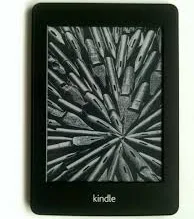
Amazon Kindle Paperwhite 5th Generation E-Reader
Top pick — Best for bargain hunters who want a lit screen without spending much.
See full comparison →Amazon Kindle 4th Generation 2GB Wi-Fi 6in Graphite
Top pick — Best for buyers who prioritize listing transparency over cutting-edge features.
See full comparison →Used Kindle Paperwhite 7th/6th Generation E-book Reader Built-in Light 6 Inch
Top pick — Best for readers who want a more recent Paperwhite with greater confidence in device condition.
See full comparison →At a Glance
| Product | Score | Price | Key Specs |
|---|---|---|---|
| Amazon Kindle Paperwhite 5th Generation E-Reader | 82 | Budget | display: 6 inch E Inkgeneration: 5thconnectivity: Wi-Fi |
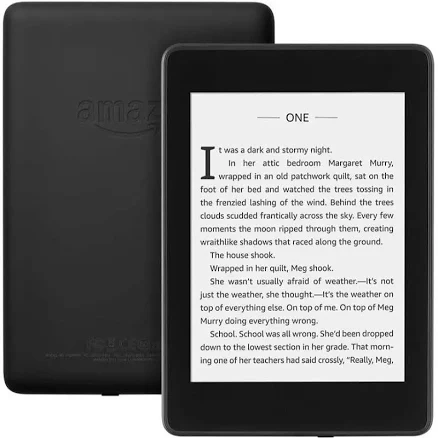
| Used Kindle Paperwhite 7th/6th Generation E-book Reader Built-in Light 6 Inch | 78 | Mid-range | display: 6 inch E Inkgeneration: 6th/7thconnectivity: Wi-Fi |
| Amazon Kindle 4th Generation Ebook Reader | 58 | Budget | display: 6 inch E Inkgeneration: 4thconnectivity: Wi-Fi |
| Amazon Kindle 6" Wi-Fi Ebook | 55 | Budget | display: 6 inch E Inkconnectivity: Wi-Fibuilt in light: Unspecified |
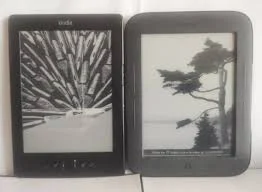
| Amazon Kindle 4th Generation 2GB Wi-Fi 6in Graphite | 60 | Budget | display: 6 inch E Inkgeneration: 4thstorage: 2GB |
What to Look For
Screen Resolution & Clarity
Higher PPI displays deliver sharper text, especially for small fonts or long reading sessions. When buying a used kindle, check the generation's resolution spec — older models show a noticeable difference in sharpness compared to newer ones.
Built-In Front Light
Not all generations include a built-in light. Models with adjustable front lighting are far more versatile for reading in dim environments. Confirm this feature is present and functioning before purchasing a used unit.
Storage Capacity
Most casual readers find base storage sufficient for thousands of books. If you store audiobooks or large collections offline, prioritize models with higher storage. Used listings often don't specify remaining usable space, so ask the seller.
Condition Grading
Used e-readers are sold in grades ranging from 'like new' to 'acceptable.' Screen scratches rarely affect readability, but battery health is harder to assess. Always buy from sellers who offer a return window or condition guarantee.
Wi-Fi vs. Cellular Connectivity
Wi-Fi-only models cover most buyers' needs for downloading books at home. Cellular-enabled versions add convenience but cost more even used. Decide based on how often you'd need to download away from a network.
How We Chose
We evaluated used kindle options based on generation features, typical resale condition, and value relative to buying new. Key factors included display quality, lighting capability, and how well each generation holds up after extended prior use. We focused on models that offer a meaningful reading experience without requiring a premium price.
How We Chose
We evaluated used kindle options based on generation features, typical resale condition, and value relative to buying new. Key factors included display quality, lighting capability, and how well each generation holds up after extended prior use. We focused on models that offer a meaningful reading experience without requiring a premium price.
Key Trade-offs
The main tradeoff when buying used is price versus condition certainty. Older generations cost less but may lack front lighting or higher-resolution screens. Mid-range generations hit a sweet spot for most readers — good display quality and lighting at a reduced resale price. Battery degradation is the biggest hidden risk in any used purchase, so factor in potential replacement costs.
Key Trade-offs
The main tradeoff when buying used is price versus condition certainty. Older generations cost less but may lack front lighting or higher-resolution screens. Mid-range generations hit a sweet spot for most readers — good display quality and lighting at a reduced resale price. Battery degradation is the biggest hidden risk in any used purchase, so factor in potential replacement costs.
What Matters Most
For most buyers, screen quality and a working front light matter most. Storage is rarely a limiting factor for text-only readers. Prioritize seller reputation and return policies over chasing the lowest price — a non-functional unit with no recourse is never a deal. In 2026, the used market offers strong value if you shop carefully and verify condition claims.
What Matters Most
For most buyers, screen quality and a working front light matter most. Storage is rarely a limiting factor for text-only readers. Prioritize seller reputation and return policies over chasing the lowest price — a non-functional unit with no recourse is never a deal. In 2026, the used market offers strong value if you shop carefully and verify condition claims.
Our Picks
Amazon Kindle Paperwhite 5th Generation E-Reader
Best OverallPros
Cons
Amazon Kindle 4th Generation 2GB Wi-Fi 6in Graphite
Best ValuePros
Cons
Used Kindle Paperwhite 7th/6th Generation E-book Reader Built-in Light 6 Inch
Best PremiumPros
Cons
Who Should Buy What
Amazon Kindle Paperwhite 5th Generation E-Reader
Best OverallBest for bargain hunters who want a lit screen without spending much.
View in Comparison →Amazon Kindle 4th Generation 2GB Wi-Fi 6in Graphite
Best ValueBest for buyers who prioritize listing transparency over cutting-edge features.
View in Comparison →Used Kindle Paperwhite 7th/6th Generation E-book Reader Built-in Light 6 Inch
Best PremiumBest for readers who want a more recent Paperwhite with greater confidence in device condition.
View in Comparison →Who Should Buy What
Amazon Kindle Paperwhite 5th Generation E-Reader
Best OverallBest for bargain hunters who want a lit screen without spending much.
View in Comparison →Amazon Kindle 4th Generation 2GB Wi-Fi 6in Graphite
Best ValueBest for buyers who prioritize listing transparency over cutting-edge features.
View in Comparison →Used Kindle Paperwhite 7th/6th Generation E-book Reader Built-in Light 6 Inch
Best PremiumBest for readers who want a more recent Paperwhite with greater confidence in device condition.
View in Comparison →